Background & Context
Information workers are increasingly expected to use AI in their workflows to improve productivity. Emerging LLM-based tools, such as agent builders, aim to help information workers with their everyday tasks.
However, in the current landscape, LLM-based tools are hard to use, easily fail, and often overpromise on value. Information workers need further guidance when creating tools such as AI agents, and may not understand what benefits LLM tools could provide in their workflow.
Defining the Problem
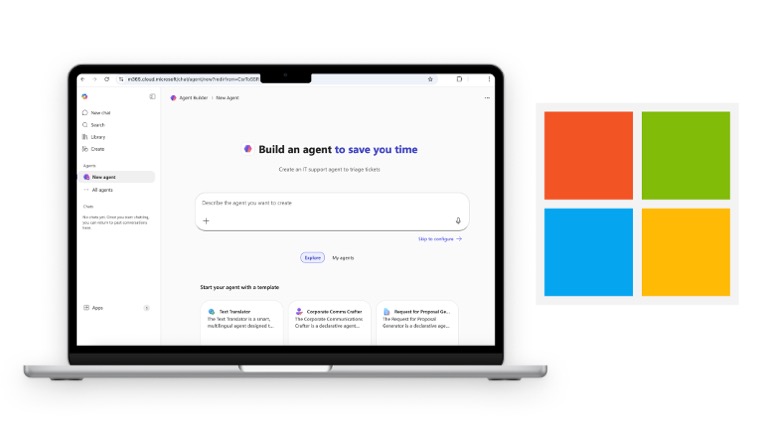
Microsoft 365 Agent Builder is a no-code/low-code tool that lets information workers create custom AI agents for everyday tasks. As part of a semester-long research engagement, I collaborated with a team to evaluate where the tool succeeded, where it fell short, and what Microsoft should build next.
Our work surfaced a clear pattern: users could get an agent running, but they couldn't figure out what it was actually capable of — and they couldn't trust what it was doing. We translated those findings into three prioritized product recommendations.
- What kind of support do users need when building and using AI agents?
- What mental models do users bring to the agent-building experience?
My Contributions
- Co-designed the research plan, including the semi-structured interview guide and usability test protocol
- Moderated user interviews and usability testing sessions over Zoom
- Led affinity mapping and thematic analysis of interview transcripts
- Contributed to competitive analysis evaluation across seven agent-building tools
- Co-authored findings and product recommendations delivered to Microsoft
Research Methods
Competitive Analysis
We evaluated seven agent-building tools across the full agent lifecycle — from creation to monitoring to refinement — scoring each on seven tasks: create, customize, connect data, test, publish, monitor health, and update.
User Interviews
We conducted 11 semi-structured interviews (30 minutes each, via Zoom) with employed adults across consulting, finance, technology, and education — spanning ages 18–64 and a wide range of AI familiarity. Questions explored participants' current AI usage, their expectations for agent behavior, and what their ideal agent-building experience would look like.
Usability Testing
Immediately following each interview, participants completed a usability test of M365 Agent Builder. We gave them a realistic scenario (building an agent for a NASA employee to summarize meeting documents and draft emails) and asked them to complete six tasks mirroring the agent lifecycle. We coded each task as Completed, Completed with Difficulty, or Unable to Complete.
Key Findings
Competitive Analysis: Post-Launch Lifecycle is a Market-Wide Gap
All seven tools handled agent creation and testing well. The gaps emerged in everything that comes after launch.
Agent monitoring: Only 2 of 7 tools succeeded. Claude Agent SDK, Vertex, Gumloop, Lindy, and Replit all failed.
Editing and updating: 2 of 7 tools failed, including Google Gemini Agent Builder.
Data source integration: 2 of 7 had issues, including Google and Claude Agent SDK. M365 was not an outlier — the whole market underserves users post-launch.
Key Themes
After conducting the interviews, we analyzed our results through affinity mapping. Three key themes emerged:
Collaborative onboarding. Users didn't want to figure out what to build alone — they wanted the system to ask questions and guide them toward useful configurations.
"What are you going to use the agent for? And then recommend tools to install on the agent proactively. That would be very helpful."
Verbal prompting and follow-up suggestions. Users expected the agent to tell them what it needed and to proactively surface what it could do.
"If I tell it what I want it to do, I would expect it to come back and tell me what it needs to know in order to do it."
Transparency into agent reasoning. Without visibility into its logic, users couldn't trust or correct the agent.
"I just like to see what the agent is thinking... because if I find that it's going off in a direction I don't want, I want to trace back."
Friction Throughout the Core Flow
Our usability tests were evaluated by scoring participants' performance on the six tasks. Testing was the one task everyone completed easily — but nearly everything before and after it created friction. The ambiguous "Describe" and "Configure" prompts confused most users, who expected a chat-based setup flow modeled on their experience with tools like ChatGPT.
| Task | Completed | With Difficulty | Unable |
|---|---|---|---|
| Create an agent | 6/11 | 5/11 | 0 |
| Edit name & description | 8/11 | 3/11 | 0 |
| Upload a document | 6/11 | 4/11 | 1 |
| Connect a website URL | 7/11 | 2/11 | 2 |
| Test the agent | 11/11 | 0 | 0 |
| Publish / share | 5/11 | 5/11 | 1 |
Our Proposed Solutions
From our user research, we identified three key product recommendations for the team to implement.
Conversational Onboarding. Replace the ambiguous "Describe" and "Configure" prompts with a step-by-step guided setup that asks users what they want their agent to do, then recommends relevant tools and configurations. Surface use-case templates earlier and more prominently — Google's Gemini Agent Builder does this well on its landing page.
Capability Discovery Guidance. After the agent is built, users need to know what to do with it. Add example prompts on the main agent page and surface follow-up suggestions mid-conversation — such as "attach a document," "paste a URL," or "edit agent instructions" — so users can explore capabilities without guessing.
Process Transparency. Add thinking-state indicators so users can see what the agent is doing as it works. Make workspace integrations explicit and visible — users were surprised the agent wasn't already connected to their files. Claude Code's step-by-step status feedback is a useful model here.
Impact & Reflection
Our findings were delivered to Microsoft as a formal research report with prioritized recommendations. The research confirmed that the core usability gaps in M365 Agent Builder weren't unique to the product — they reflected a market-wide failure to support users through the full agent lifecycle.
If I were to extend this work, I'd want to run a follow-up study testing the proposed conversational onboarding flow to see whether it measurably reduces task abandonment. I would also want to explore whether transparency features (thinking states, integration visibility) change users' trust in agent outputs over time.
Research conducted in partnership with Microsoft as part of a graduate UX research program.